Sorted, without being asked.
Truly automatic file sorting. No ads, ever. Pay once — no subscription.
It sorts the files sitting in the folders you choose — by file extension, into one place called Downloads › Sorted Files. Android 10 and newer, and nothing else.

How it works
Three steps, and one of them is pressing back.
This is the whole of the setup — the same three steps the app itself shows on its first screen.
Grant storage access
The app opens Android's own settings page, where you turn on Allow access to manage all files. Then you press back. It starts scanning on its own from there.
Tap “Sort Now”
A preview opens first and lists exactly what will move, grouped by where each file is going. You can switch that preview off; nothing moves until you confirm it. With the preview switched off, Sort Now starts straight away.
Files move to: Downloads › Sorted Files
Into a folder named for each category — or straight into
Sorted Files with no sub-folders, if you prefer it flat.
What it sorts
Seven categories, decided by the file extension.
Nothing is guessed at and nothing is opened: the app lower-cases the extension and looks it up. Everything lands under Downloads › Sorted Files.
| Category | Extensions |
|---|---|
| Documents | pdf, doc, docx, ppt, pptx, xls, xlsx, txt |
| Images | jpg, jpeg, png, webp, gif |
| Videos | mp4, mkv, avi, webm |
| Audio | mp3, wav, aac, m4a |
| Apps | apk, xapk, apkm |
| Archives | zip, rar, 7z |
| Others | anything else that has an extension |
Only what is sitting in the folder
A watched folder's own files are sorted. The scan does not descend into what is inside them, so a folder you have already arranged by hand stays as you left it.
A download in progress is left alone
Part-files, dot-files, empty files and anything changed in the last 30 seconds are skipped, so a file still arriving is never moved out from under the app writing it.
Categories you switch off stay untouched
A checklist decides which of the seven are in play. An unticked category is not moved at all — and that beats any rule you have written.
No extension, no move
A file with no extension at all is never sorted. The app has no way to place it honestly, so it leaves it where it is.
See it
What it looks like on the phone.
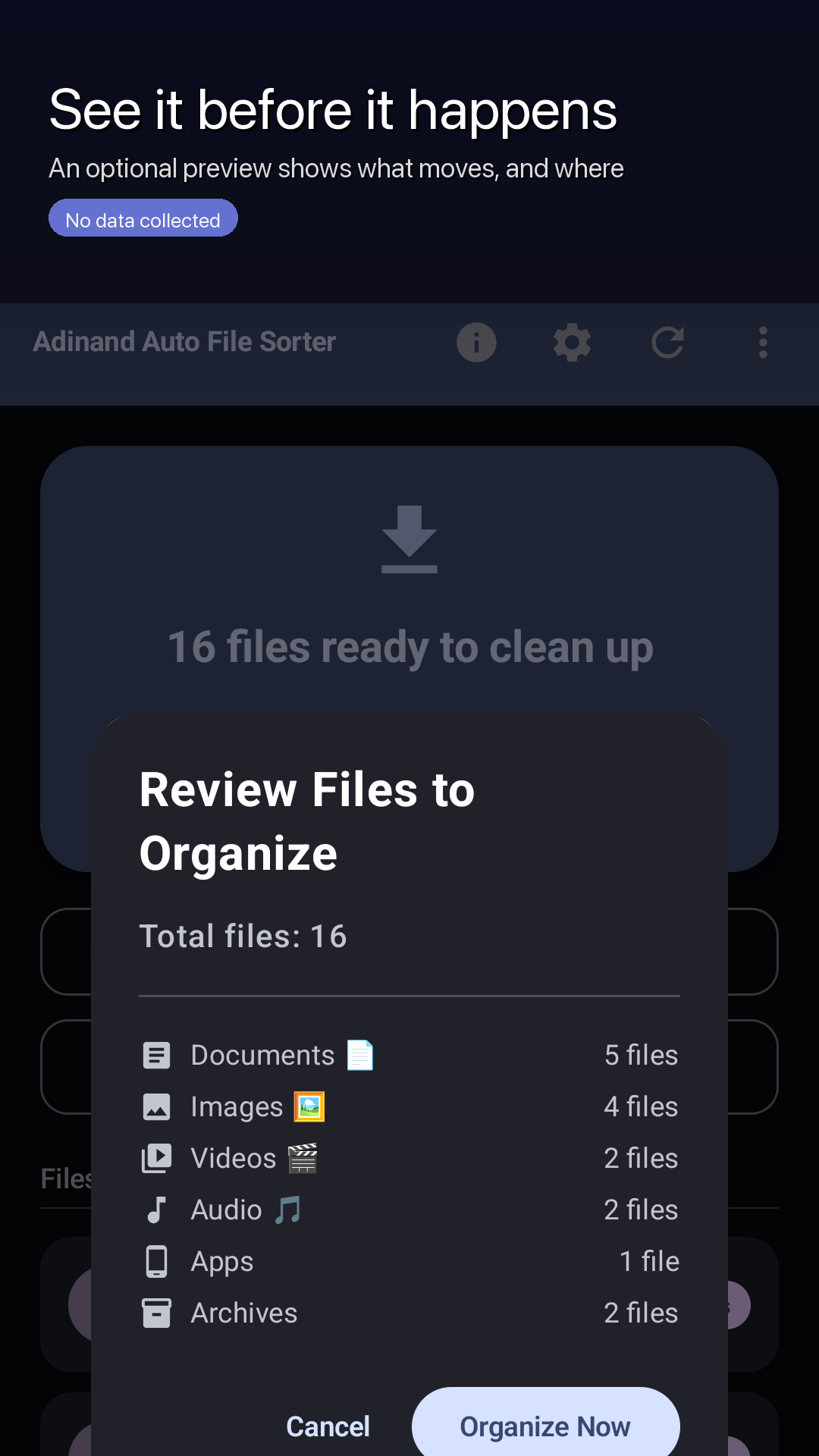
The preview
What will move, grouped by destination, before it moves.
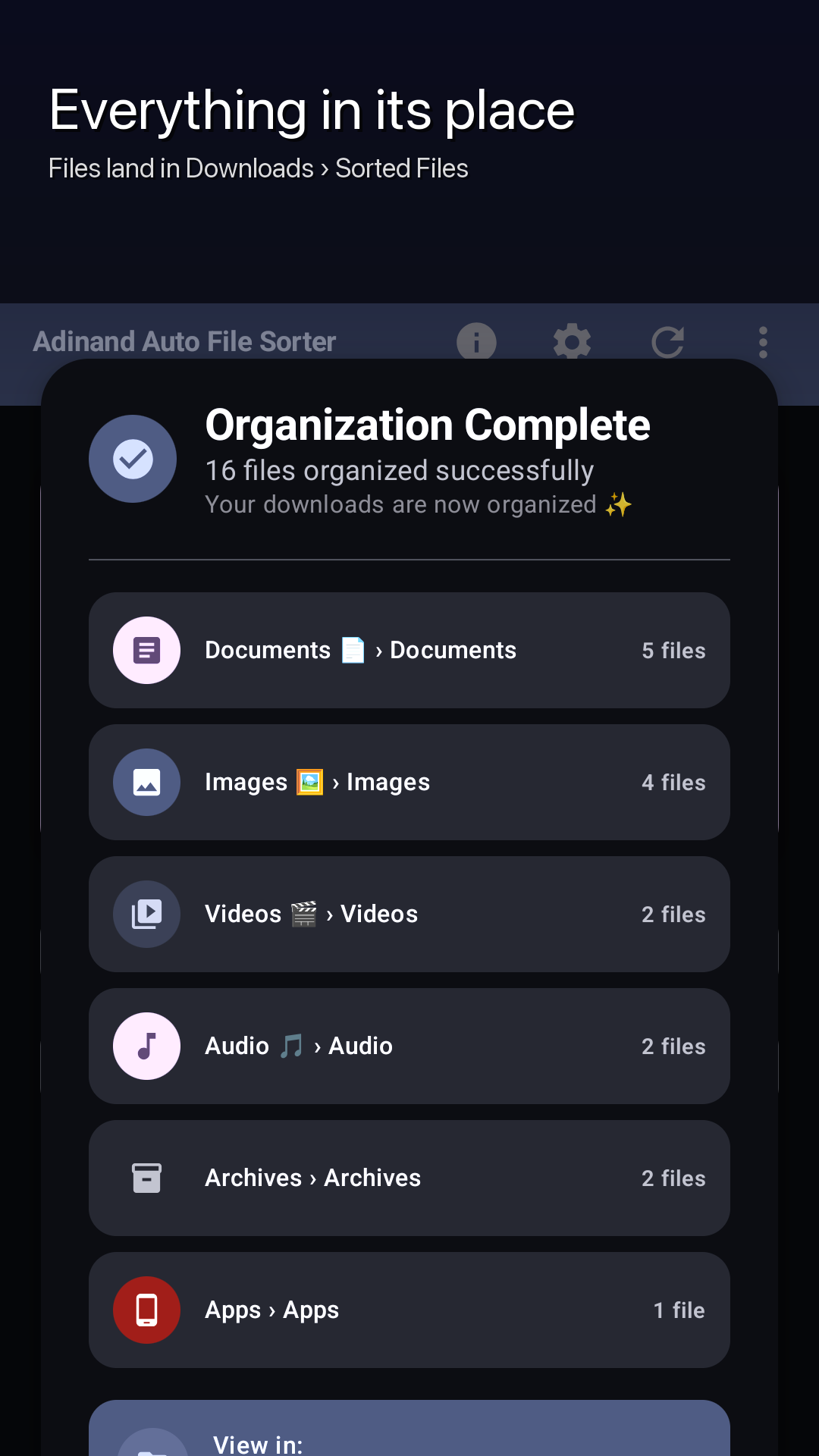
The result
Each category and what landed in it, under Sorted Files.
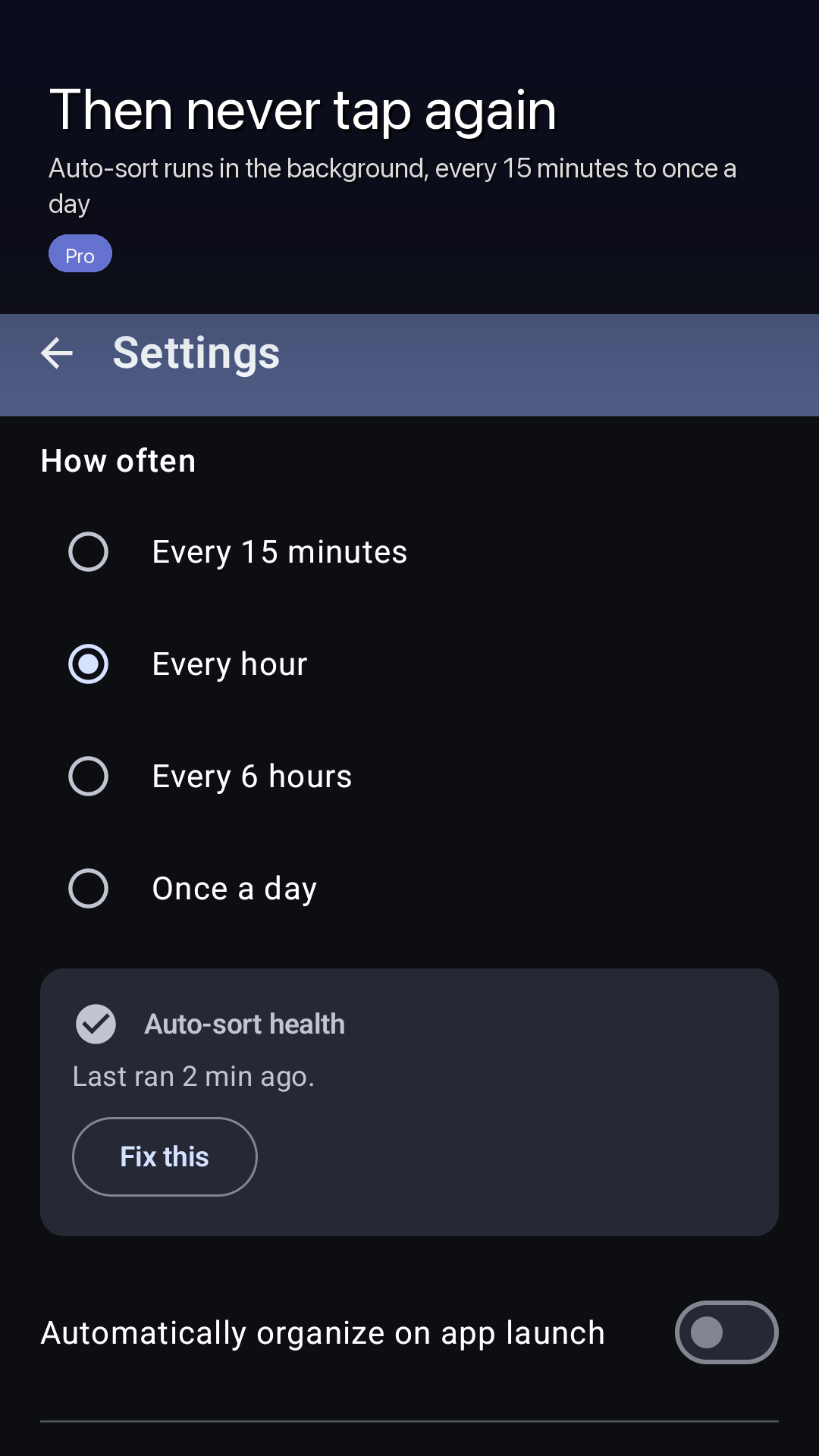
Background sorting Pro
Four intervals, and a health card that reports when Android has not let it run.
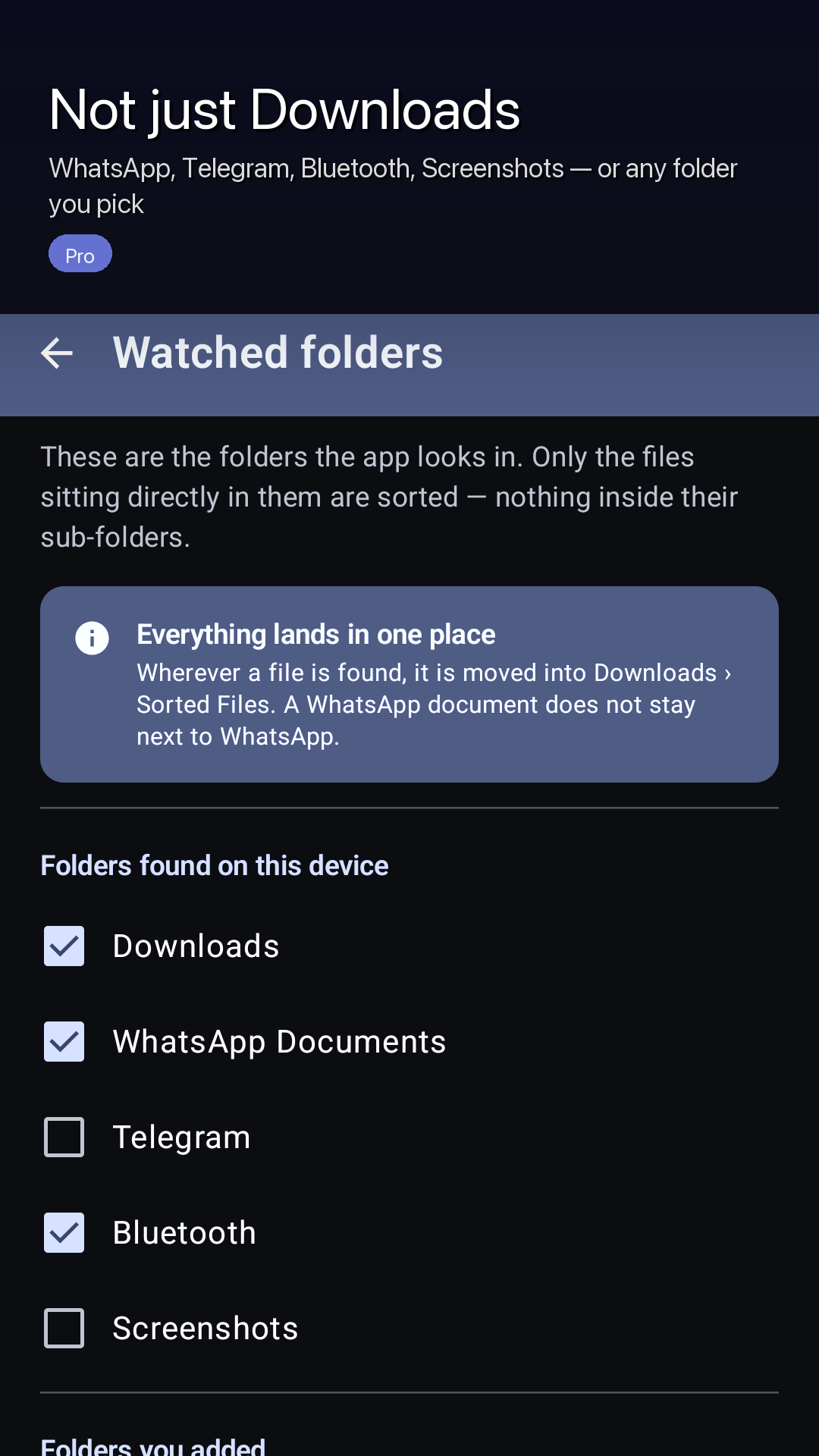
Watched folders Pro
Presets the app found on this device, plus any folder you add.
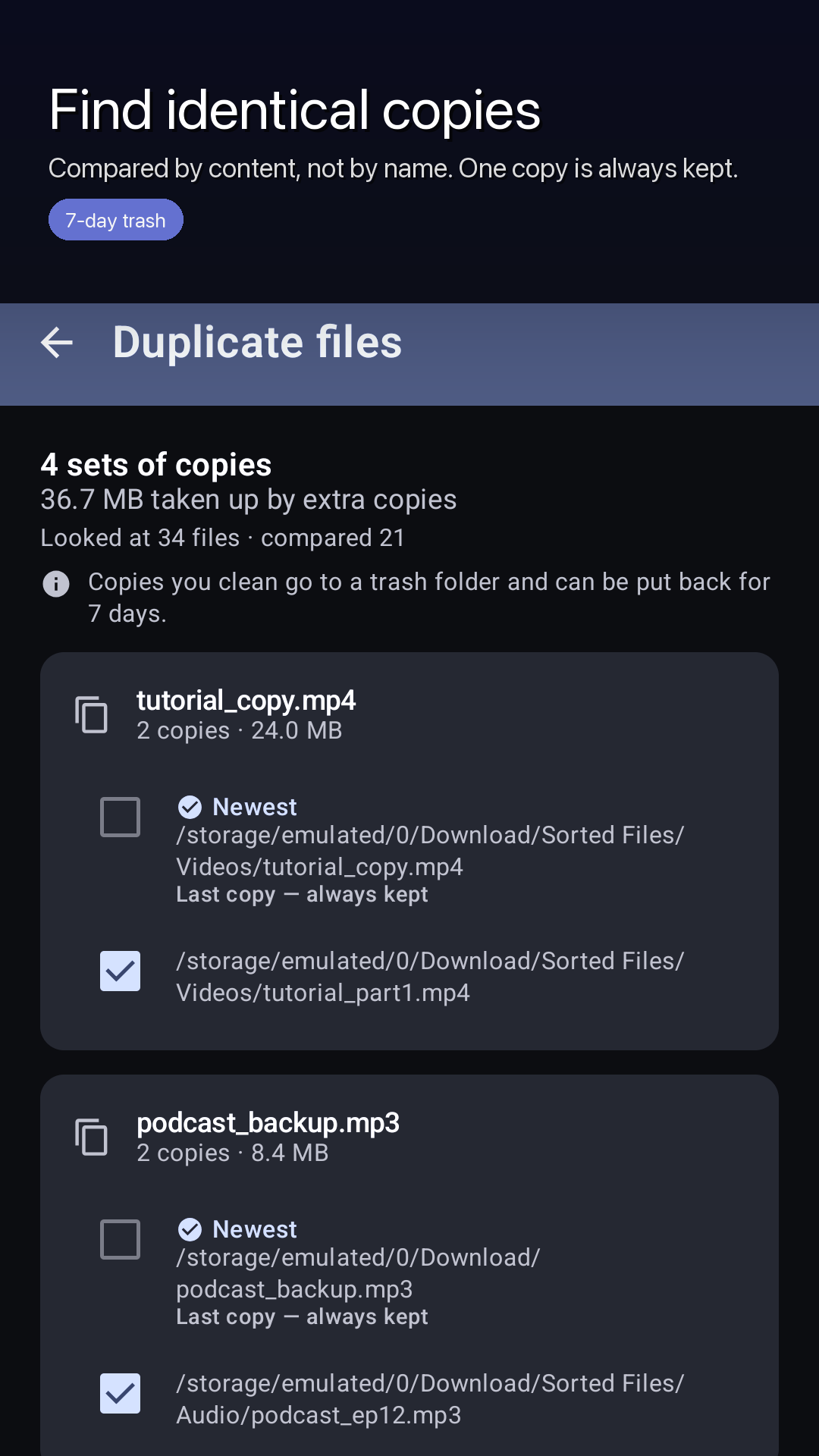
Duplicate files
Compared by content. One copy of every file is always kept.
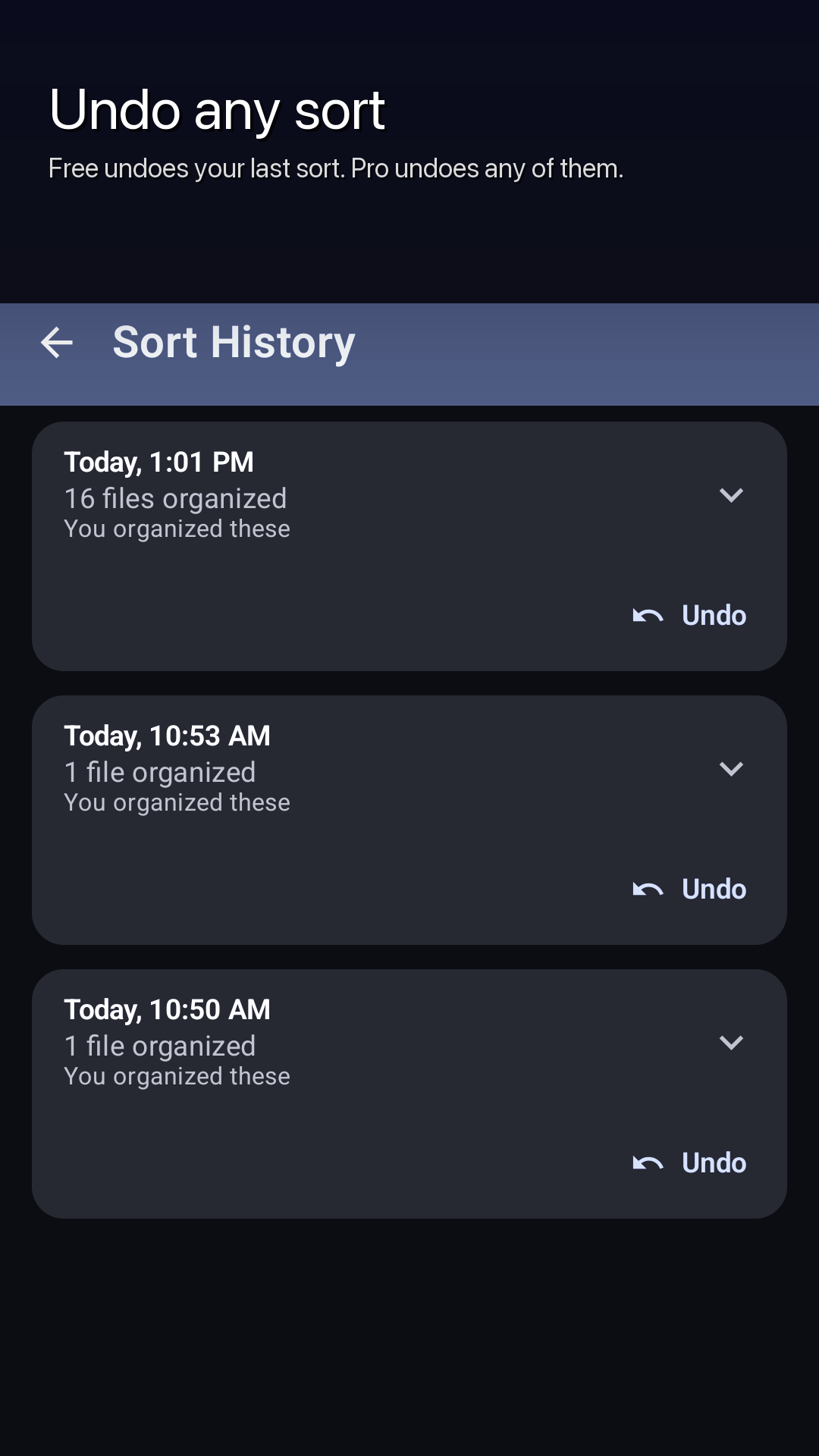
Sort History
Every sort, who triggered it, and an Undo beside it.
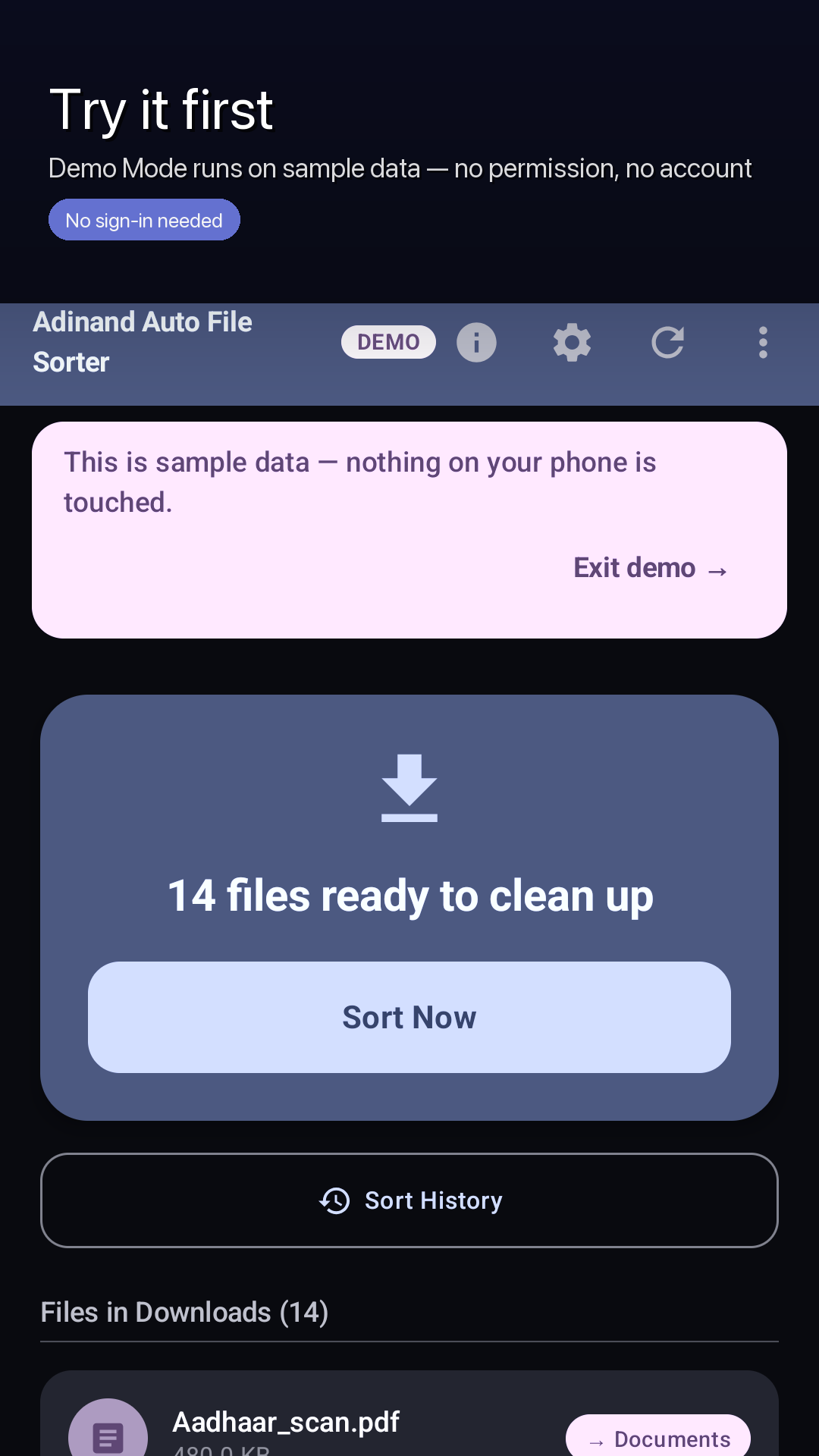
Demo Mode
The whole app on sample data, before you grant anything.
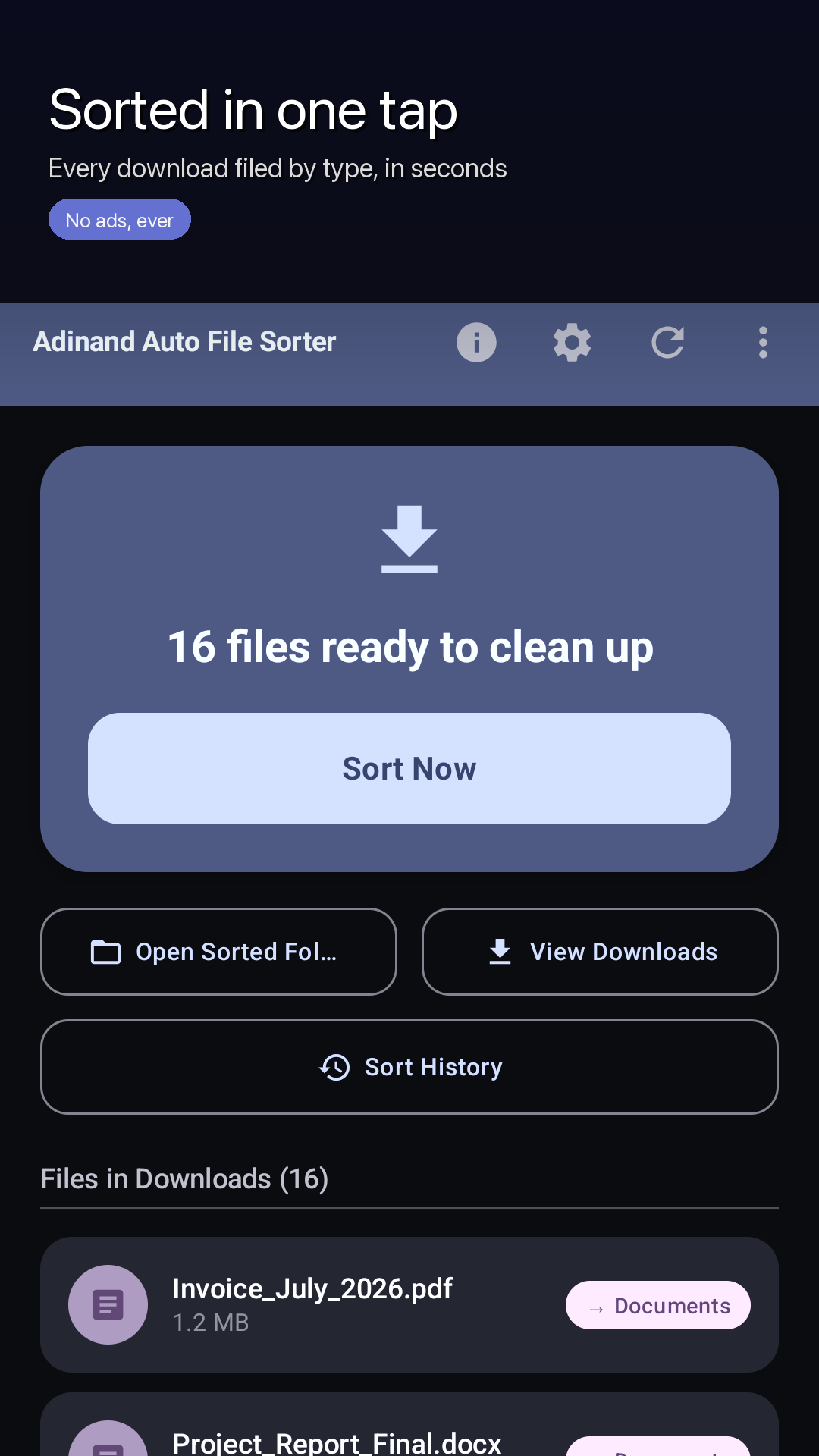
The home screen
What is waiting, and one button that deals with it.
Free and Pro
Sorting is free, and not a trimmed-down kind of free.
There is no counter on sorts, no cap on files and no countdown. Pro adds the parts that run without you.
Free
Everything below, with no limits and nothing to sign up for.
- Sorting, as often as you like
- The preview before every manual sort
- The category checklist, and the sub-folders switch
- The whole Sort History to read, and undo of your most recent sort
- The duplicate finder and cleaner, with its 7-day trash (Android 11 or newer)
- Demo Mode, before you grant any permission
Upgrade to Pro
One purchase, and these four things start happening.
- Automatic sorting — files organized in the background, no tapping
- Custom rules — you decide where each kind of file goes
- Watched folders — WhatsApp, Screenshots, Bluetooth and more, not just Downloads
- Full history & undo — reverse any past sort, any time
- And sorting on app launch, if you would rather it caught up when you open it
Pay once. Yours forever. No subscription.
Free to download; the Pro upgrade is a one-time in-app purchase — the price is shown in the app and on Google Play. There is one product, it is bought once, and the app shows you the figure Google Play gives it for your country before you pay.
An honest note about background work
Android can stop this, and we would rather say so.
Some phones restrict background apps to save battery
That can delay automatic sorting, or stop it. It is not a setting we can overrule from inside the app: the app asks for no battery-optimisation exemption and holds no wake lock, because Google Play's own policy reserves that for apps whose core function breaks without it.
So the app watches itself instead. A health indicator on the home screen reports when the system has not let the job run, with a help sheet naming the settings that do this on Xiaomi, Oppo, Vivo, Realme, OnePlus and Samsung phones. When background sorting has not happened, you are told — rather than left to assume it did. One tap still sorts everything.
You choose how often it tries: Every 15 minutes · Every hour · Every 6 hours · Once a day. Fifteen minutes is the shortest interval Android's WorkManager allows, not a promise about when a particular run happens. Background runs do not show a preview — switching the toggle on is the consent — and everything they do is in Sort History, and undoable.
Safety
The order of operations is the feature.
Moving a file on Android is really a copy followed by a delete. Which way round you do it decides what an interrupted move costs you.
Copy, verify, then remove the original
In that order, every time. The copy is checked before the original is touched, and a failure at any step leaves the original exactly where it was. A partial copy is discarded rather than kept.
Nothing is ever overwritten
If the destination name is taken, the file arrives as name (1).ext,
name (2).ext and so on. Two files that share a name are compared byte for
byte before that decision — matching sizes alone never count as a match.
A preview you can read first
Manual sorts open a list of exactly what will move, grouped by where it is going, with a count. Nothing has moved at the point you are reading it.
Undo, with no clock on it
Undo is offered the moment a sort finishes, and again from Sort History. Files go back to the exact path they came from. Nothing expires: there is no time limit on undo. Free covers your most recent sort; Pro covers any of them.
Written down before it happens
Every sort is recorded in a database on the phone as it runs, batch and file by file. A sort that cannot be recorded is abandoned and moves nothing — because a move nobody wrote down is a move you cannot undo.
Sorting never deletes anything
The only part of the app that removes a file is the duplicate cleaner, on the copies you tick. Those go to a trash folder inside Sorted Files and can be put back for 7 days, and one copy of every file is always kept.
Privacy
There is nowhere for your files to go.
Sorting works with no connection at all. The one thing in the app that uses the network is Google Play Billing, which is how it knows whether you own Pro.
- No accounts, no sign-inThere is nothing to register for and nothing to log in to.
- No analytics, no ads, no trackingNo analytics library, no crash-reporting library, no advertising library — none is in the app at all.
- No serversWe run nothing you could send a file to, and the app has no code that would send one.
- Routing is by extensionThe app never reads what is inside your files to sort them — it lower-cases the extension and looks it up.
- Two exceptions, and they are on-deviceBytes are read to compare two files that share a name, and for the duplicate finder's SHA-256. Neither leaves the phone.
- You pick the foldersDownloads to begin with, and whatever else you add. Never the whole volume.
Google Play's Data safety section for this app says no data collected and no data shared. The long version is in the privacy policy, and what the permission can and cannot reach is on the security page.
Before you grant anything
Try the demo — sample data, no sign-in needed
That line is on the app's very first screen, beside the button that asks for permission. Tapping it runs the real sorting and undo machinery over fourteen made-up files held in memory, with a throwaway database — no permission is requested and no file on your phone is read, moved or created. The banner says it out loud: “This is sample data — nothing on your phone is touched.” The demo shows the Pro features working so you can see what they do, while writing no setting and scheduling no background job. “Exit demo” ends it.
Questions
The ones worth answering before you install.
Where do my files end up?
In one folder: Downloads › Sorted Files, with a sub-folder per category unless you turn sub-folders off. That is true wherever the file was found — as the app puts it, “Wherever a file is found, it is moved into Downloads › Sorted Files. A WhatsApp document does not stay next to WhatsApp.”
Does Adinand Auto File Sorter delete anything?
Sorting never deletes anything. Every move copies the file to its destination, verifies the copy, and only then removes the original, so an interruption leaves you with a copy rather than with nothing. The one part of the app that removes files is the duplicate cleaner, and only the copies you pick: those go to a trash folder inside Sorted Files and can be put back for 7 days, and one copy of every file is always kept.
Does it read what is inside my files?
Files are routed by their extension, lower-cased, so the app never reads what is inside your files to sort them. Bytes are read for exactly two safety jobs: comparing two files that share a name, so that neither is overwritten, and the SHA-256 the duplicate finder compares. Nothing is uploaded — the only thing the app uses the network for is Google Play Billing.
Does it sort what is inside sub-folders?
No. Only the files sitting directly in a watched folder are sorted; the scan never descends into their sub-folders. Files with no extension at all are left alone, as are files that are still downloading and anything changed in the last 30 seconds.
What does it cost?
Free to download; the Pro upgrade is a one-time in-app purchase — the price is shown in the app and on Google Play. Pay once. Yours forever. No subscription. Sorting itself is never limited, and the duplicate finder is free too.
Can I undo a sort?
Yes. Undo is offered immediately after any sort that moved something, and every sort is recorded in Sort History. Free undoes your most recent sort; Pro undoes any past sort. There is no time limit. Files go back to the exact path they came from; if the name has been taken since, the app says so rather than overwriting anything.
Why does it need All files access?
Since Android 11 the Storage Access Framework cannot grant an app the root Download directory at all, and an app can only touch files it created itself through the media store — a PDF your browser saved, or an archive a messaging app wrote, belongs to that app, so moving it needs either a per-file permission dialog every time or All files access. The app reads only the folders you selected, and it asks for no battery-optimisation exemption. The security page sets out what it can and cannot touch.
Which Android versions does it work on?
Android 10 or newer. Watched folders beyond Downloads, and the duplicate finder, need Android 11 or newer — on Android 10 the app says so rather than half-running them. The app is in English, Hindi, Spanish, Brazilian Portuguese and Indonesian.
Let your Downloads folder sort itself out.
Adinand Auto File Sorter is on Google Play for Android 10 and newer. Watched folders and the duplicate finder need Android 11 or newer.